Recon - ATTACK SURFACE DISCOVERY
Know your digital footprint
See what’s publicly connected to your organisation, including systems that may have been forgotten.
Recon - ATTACK SURFACE DISCOVERY
Know your digital footprint
See what’s publicly connected to your organisation, including systems that may have been forgotten.
Recon - ATTACK SURFACE DISCOVERY
Know your digital footprint
See what’s publicly connected to your organisation, including systems that may have been forgotten.
Recon - ATTACK SURFACE DISCOVERY
Know your digital footprint
See what’s publicly connected to your organisation, including systems that may have been forgotten.
WHAT IT IS
A baseline you can build on
Recon continuously maps the domains, websites, APIs and other public-facing systems linked to your organisation, including systems missing from existing asset lists.
It brings every discovered asset into one shared overview, with context and evidence to help you confirm what belongs to you and see where attention is needed.
As the digital footprint changes, Recon discovers new connections and revisits known ones. The result is a reliable baseline that grows more accurate over time and guides decisions on what to keep, what to remove and which systems to test next.
Recon
Your security foundation
Tell us what you need. A specialist will help define the scope and next steps.
Included
Outside-in asset discovery · Evidence per asset · One shared overview · Continuous rediscovery
Choose a time directly in our calendar.
WHAT IT IS
A baseline you can build on
Recon continuously maps the domains, websites, APIs and other public-facing systems linked to your organisation, including systems missing from existing asset lists.
It brings every discovered asset into one shared overview, with context and evidence to help you confirm what belongs to you and see where attention is needed.
As the digital footprint changes, Recon discovers new connections and revisits known ones. The result is a reliable baseline that grows more accurate over time and guides decisions on what to keep, what to remove and which systems to test next.
Recon
Your security foundation
Tell us what you need. A specialist will help define the scope and next steps.
Included
Outside-in asset discovery · Evidence per asset · One shared overview · Continuous rediscovery
Choose a time directly in our calendar.
WHAT IT IS
A baseline you can build on
Recon continuously maps the domains, websites, APIs and other public-facing systems linked to your organisation, including systems missing from existing asset lists.
It brings every discovered asset into one shared overview, with context and evidence to help you confirm what belongs to you and see where attention is needed.
As the digital footprint changes, Recon discovers new connections and revisits known ones. The result is a reliable baseline that grows more accurate over time and guides decisions on what to keep, what to remove and which systems to test next.
Recon
Your security foundation
Tell us what you need. A specialist will help define the scope and next steps.
Included
Outside-in asset discovery · Evidence per asset · One shared overview · Continuous rediscovery
Choose a time directly in our calendar.
WHAT IT IS
A baseline you can build on
Recon continuously maps the domains, websites, APIs and other public-facing systems linked to your organisation, including systems missing from existing asset lists.
It brings every discovered asset into one shared overview, with context and evidence to help you confirm what belongs to you and see where attention is needed.
As the digital footprint changes, Recon discovers new connections and revisits known ones. The result is a reliable baseline that grows more accurate over time and guides decisions on what to keep, what to remove and which systems to test next.
Recon
Your security foundation
Tell us what you need. A specialist will help define the scope and next steps.
Included
Outside-in asset discovery · Evidence per asset · One shared overview · Continuous rediscovery
Choose a time directly in our calendar.
What can it do
Every asset checked for known vulnerabilities
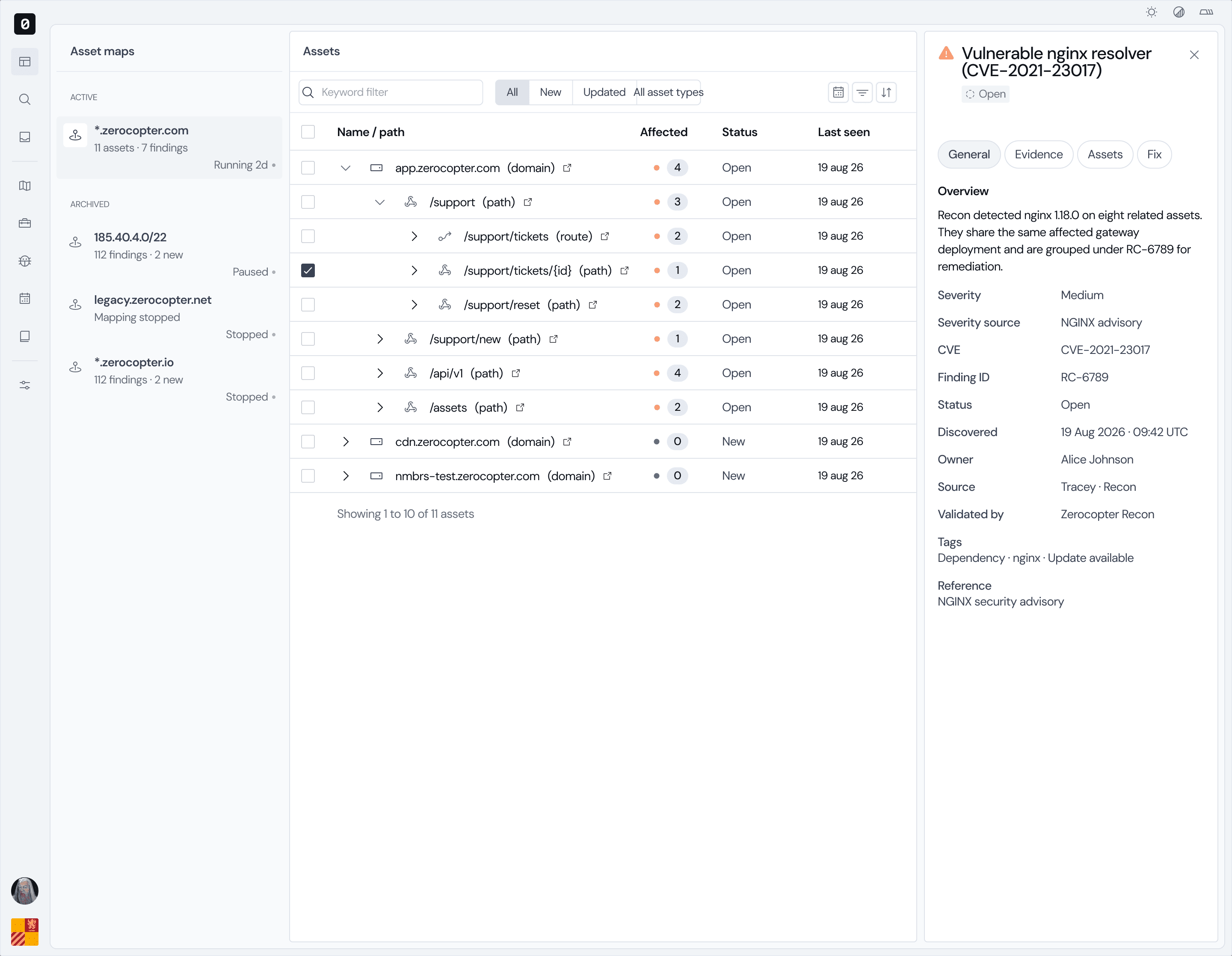
Each discovered asset is automatically scanned for known vulnerabilities. See where your systems are exposed without having to start a separate scan for every asset.
·
Automatic scan for every discovered asset
·
Known vulnerabilities shown per system
·
No separate scan setup for each asset
What can it do
Every asset checked for known vulnerabilities
Each discovered asset is automatically scanned for known vulnerabilities. See where your systems are exposed without having to start a separate scan for every asset.
·
Automatic scan for every discovered asset
·
Known vulnerabilities shown per system
·
No separate scan setup for each asset
What can it do
Every asset checked for known vulnerabilities
Each discovered asset is automatically scanned for known vulnerabilities. See where your systems are exposed without having to start a separate scan for every asset.
·
Automatic scan for every discovered asset
·
Known vulnerabilities shown per system
·
No separate scan setup for each asset
What can it do
Every asset checked for known vulnerabilities
Each discovered asset is automatically scanned for known vulnerabilities. See where your systems are exposed without having to start a separate scan for every asset.
·
Automatic scan for every discovered asset
·
Known vulnerabilities shown per system
·
No separate scan setup for each asset
01
Find what’s connected
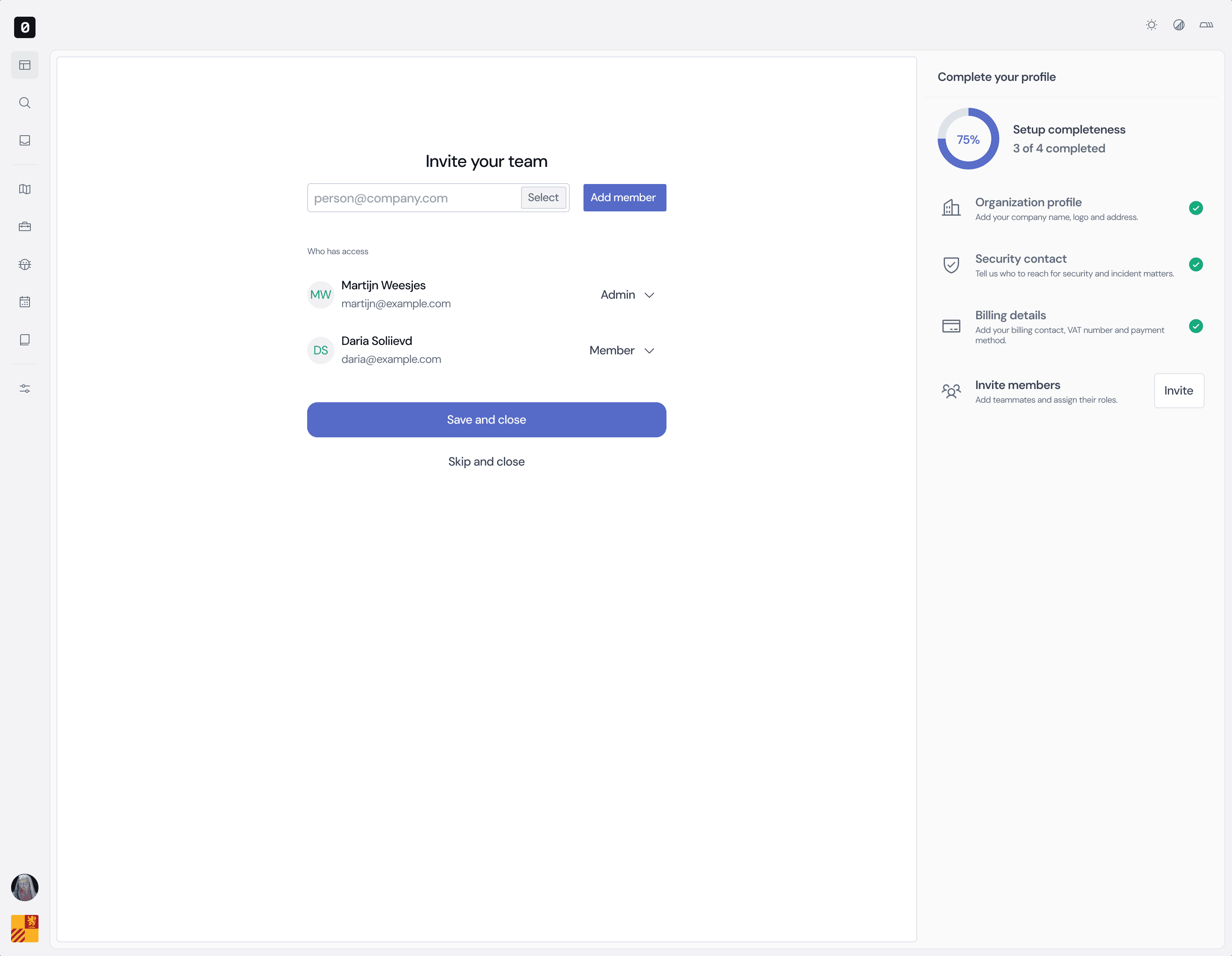
Recon starts from your known domains. From there it finds systems that point back to your organisation.
02
Confirm what belongs to you
Everything lands in one overview. You confirm what belongs to you and flag what doesn't.
03
Choose what to test
Recon gives your security programme a clear starting point for deciding what needs further testing.
01
Find what’s connected
Recon starts from your known domains. From there it finds systems that point back to your organisation.
02
Confirm what belongs to you
Everything lands in one overview. You confirm what belongs to you and flag what doesn't.
03
Choose what to test
Recon gives your security programme a clear starting point for deciding what needs further testing.
01
Find what’s connected
Recon starts from your known domains. From there it finds systems that point back to your organisation.
02
Confirm what belongs to you
Everything lands in one overview. You confirm what belongs to you and flag what doesn't.
03
Choose what to test
Recon gives your security programme a clear starting point for deciding what needs further testing.
01
Find what’s connected
Recon starts from your known domains. From there it finds systems that point back to your organisation.
02
Confirm what belongs to you
Everything lands in one overview. You confirm what belongs to you and flag what doesn't.
03
Choose what to test
Recon gives your security programme a clear starting point for deciding what needs further testing.

Frequently asked
Your questions answered
What do I need to get started?
We usually start with your main domain and company details. From there, Recon looks for systems and assets connected to your organization. We also need to verify that you own the organization before the Recon can start.
Is Recon the same as a Pentest?
Recon maps publicly visible systems and highlights obvious exposure automatically. A pentest manually investigates selected systems in depth for security weaknesses. Recon shows which systems deserve that deeper look.
What if a discovered asset is not ours?
That can happen. If you do not recognize an asset, we can double-check why it was linked to your organization. Sometimes it turns out to belong to a supplier, an old project, or another part of the organization that was not in your existing overview.
Frequently asked
Your questions answered
What do I need to get started?
We usually start with your main domain and company details. From there, Recon looks for systems and assets connected to your organization. We also need to verify that you own the organization before the Recon can start.
Is Recon the same as a Pentest?
Recon maps publicly visible systems and highlights obvious exposure automatically. A pentest manually investigates selected systems in depth for security weaknesses. Recon shows which systems deserve that deeper look.
What if a discovered asset is not ours?
That can happen. If you do not recognize an asset, we can double-check why it was linked to your organization. Sometimes it turns out to belong to a supplier, an old project, or another part of the organization that was not in your existing overview.
Frequently asked
Your questions answered
What do I need to get started?
We usually start with your main domain and company details. From there, Recon looks for systems and assets connected to your organization. We also need to verify that you own the organization before the Recon can start.
Is Recon the same as a Pentest?
Recon maps publicly visible systems and highlights obvious exposure automatically. A pentest manually investigates selected systems in depth for security weaknesses. Recon shows which systems deserve that deeper look.
What if a discovered asset is not ours?
That can happen. If you do not recognize an asset, we can double-check why it was linked to your organization. Sometimes it turns out to belong to a supplier, an old project, or another part of the organization that was not in your existing overview.
Frequently asked
Your questions answered
What do I need to get started?
We usually start with your main domain and company details. From there, Recon looks for systems and assets connected to your organization. We also need to verify that you own the organization before the Recon can start.
Is Recon the same as a Pentest?
Recon maps publicly visible systems and highlights obvious exposure automatically. A pentest manually investigates selected systems in depth for security weaknesses. Recon shows which systems deserve that deeper look.
What if a discovered asset is not ours?
That can happen. If you do not recognize an asset, we can double-check why it was linked to your organization. Sometimes it turns out to belong to a supplier, an old project, or another part of the organization that was not in your existing overview.
READY, SET, ...
How to get started
From creating your account to choosing the right coverage, here’s what to expect.
01 · Create an account
Set up your Zerocopter account to get started.
02 · Speak with the team
Tell us about your organisation and what you want to achieve.
03 · Discuss the scope
Agree which domains and systems to include.
04 · Choose your approach
Start manually and continue with ongoing coverage, or choose continuous coverage from the start.
READY, SET, ...
How to get started
From creating your account to choosing the right coverage, here’s what to expect.
01 · Create an account
Set up your Zerocopter account to get started.
02 · Speak with the team
Tell us about your organisation and what you want to achieve.
03 · Discuss the scope
Agree which domains and systems to include.
04 · Choose your approach
Start manually and continue with ongoing coverage, or choose continuous coverage from the start.
READY, SET, ...
How to get started
From creating your account to choosing the right coverage, here’s what to expect.
01 · Create an account
Set up your Zerocopter account to get started.
02 · Speak with the team
Tell us about your organisation and what you want to achieve.
03 · Discuss the scope
Agree which domains and systems to include.
04 · Choose your approach
Start manually and continue with ongoing coverage, or choose continuous coverage from the start.
READY, SET, ...
How to get started
From creating your account to choosing the right coverage, here’s what to expect.
01 · Create an account
Set up your Zerocopter account to get started.
02 · Speak with the team
Tell us about your organisation and what you want to achieve.
03 · Discuss the scope
Agree which domains and systems to include.
04 · Choose your approach
Start manually and continue with ongoing coverage, or choose continuous coverage from the start.
YOUR NEXT STEP
Get a clearer view of your attack surface
Find out what is exposed before attackers do. Talk to Gertjan about mapping your internet-facing assets, monitoring changes and getting started with REcon.

Gertjan Vaessen
Message us on Whatsapp
YOUR NEXT STEP
Get a clearer view of your attack surface
Find out what is exposed before attackers do. Talk to Gertjan about mapping your internet-facing assets, monitoring changes and getting started with REcon.
Gertjan Vaessen
Message us on Whatsapp
YOUR NEXT STEP
Get a clearer view of your attack surface
Find out what is exposed before attackers do. Talk to Gertjan about mapping your internet-facing assets, monitoring changes and getting started with REcon.
Gertjan Vaessen
Message us on Whatsapp
YOUR NEXT STEP
Get a clearer view of your attack surface
Find out what is exposed before attackers do. Talk to Gertjan about mapping your internet-facing assets, monitoring changes and getting started with REcon.
Gertjan Vaessen
Message us on Whatsapp
Copyright © 2026 Zerocopter BV
Copyright © 2026 Zerocopter BV
Copyright © 2026 Zerocopter BV