Jul 31, 2024
How do you assess the severity of a report using the CVSS calculator? How can you write a good report? Security Analyst, Lennaert Oudshoorn, wrote down some tips and tricks.
First of all, what is CVSS? CVSS stands for the Common Vulnerability Scoring System, and is a free and open industry standard developed by first.org for assessing the severity of computer system security vulnerabilities. In Bug Bounty this standard is often used for just that, to measure the severity of the reported vulnerability. To have your report smoothly triaged it is important to correctly set the score, and in order to do so you should know the different metrics and what each of the options means.
What are the categories of the CVSS scores?
CVSS scores are divided into five categories:
None, a score of 0.0 (Informational in the Zerocopter Platform)
Low, a score between 0.1 and 3.9
Medium, a score between 4.0 and 6.9
High, a score between 7.0 and 8.9
Critical, a score between 9.0 and 10.0
When submitting a finding on the Zerocopter platform you see an option called the “CVSS Calculator” while writing your report, clicking this button will open the calculator:
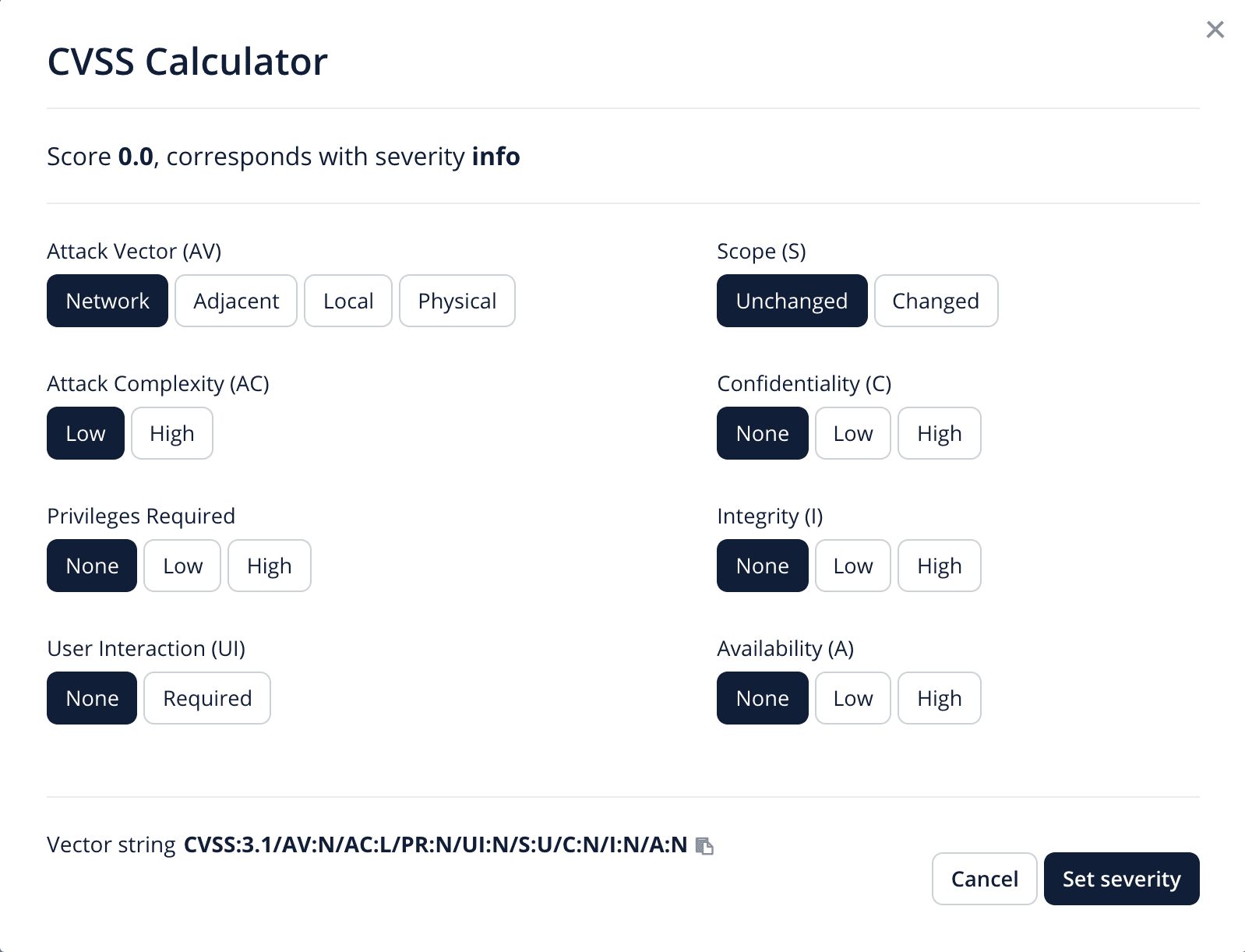
Here you see the different metrics that the system uses to calculate the severity score of your vulnerability. These metrics are as follows:
Metric | Details |
Attack Vector (AV) | This metric reflects the context by which vulnerability exploitation is possible |
Attack Complexity (AC) | This metric describes the conditions beyond the attacker’s control that must exist in order to exploit the vulnerability. |
Privileges Required (PR) | This metric describes the level of privileges an attacker must possess before successfully exploiting the vulnerability. |
User Interaction (UI) | This metric captures the requirement for a human user, other than the attacker, to participate in the successful compromise of the vulnerable component. |
Scope (S) | The Scope metric captures whether a vulnerability in one vulnerable component impacts resources in components beyond its security scope. |
Confidentiality (C) | This metric measures the impact to the confidentiality of the information resources managed by a software component due to a successfully exploited vulnerability. |
Integrity (I) | This metric measures the impact to integrity of a successfully exploited vulnerability. Integrity refers to the trustworthiness and veracity of information. |
Availability | This metric measures the impact to the availability of the impacted component resulting from a successfully exploited vulnerability. |
You can read more about these metrics and their possible options in the CVSS specification document.
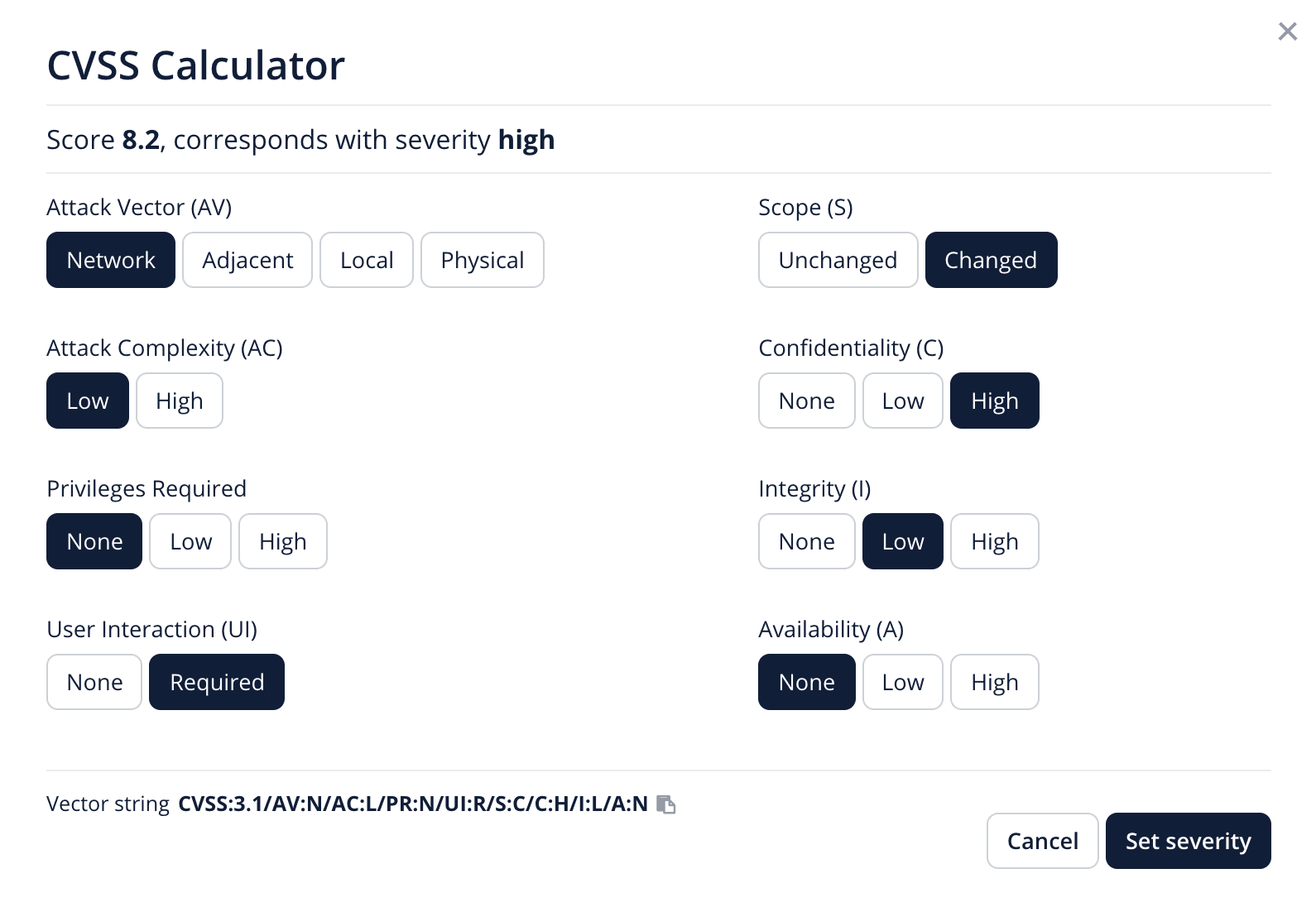
Let’s look at an example and fill in the calculator for a reflected cross-site scripting vulnerability.
The Attack Vector is Network, as the attacker doesn’t need to be on the same network as the victim or have Physical access.
The Attack Complexity is Low, when a browser loads the payload, it will always execute.
The Privileges Required are None, the attacker doesn’t need to be authenticated to send the victim a URL with the payload in it.
User Interaction is required, the victim does need to click the link.
The Scope has changed, as the vulnerable component is the website, but the impacted component is the user’s web browser that executes the payload.
From the Impact Metrics (Confidentiality, Integrity, Availability) the Confidentiality is highly impacted, as the attacker can gain access to a victims cookies and take over a session, the impact on the Integrity is low, as the attacker can redraw the DOM but only for a single viewer, and no stored data on the website is impacted by this attack. There is no impact to the availability of the system.
There are more great examples of how to use the calculator and how to score vulnerabilities here.
As you can see in the image above, the calculator has come to a score of 8.2, a high impact vulnerability. It also shows what is called a vector string, a textual representation of the CVSS Score, in this case: CVSS:3.1/AV:N/AC:L/PR:N/UI:R/S:C/C:H/I:L/A:N
How to write a high quality report?
To write a high quality report, it should be complete, and a complete report has the following:
A description of the vulnerability: The description should outline the vulnerability and what the potential impact is.
Steps to reproduce : The steps to reproduce the vulnerability should be clear and concise, because triage and security teams need to have all the details to verify and validate the reported vulnerability. Clear steps to reproduce the issue and a working Proof Of Concept (POC) are required, without these a report can’t be accepted. Screenshots and videos can help in explaining the required steps, but are not a replacement for the written reproduction steps.
A suggestion for possible solutions: This is greatly appreciated by our clients, but we understand that sometimes it’s impossible to give this advice without internal knowledge about the affected systems.
Of course, it is also important that the report is readable and understandable, so we always advise you to read through it once more before submitting. And we will talk about that in our next blog! Stay tuned!
Lees verder
CVD
Welcome back to the second part of our blog, where we are breaking all the common myths and misconceptions about CVD.
Dec 8, 2024
CVD
CVD sounds complex, but it’s simpler than it seems. In this blog, we break down the biggest misconceptions.
Nov 18, 2024
CVD
Edwin van Andel, talks about the CVD milestones in the Netherlands, and its importance and relevance in the NIS2 directive.
Jan 30, 2023
CVD
Using Markdown to make your report look better
Dec 1, 2022
CVD
NIS2 makes CVD essential. Learn how strong disclosure policies boost compliance, security, and trust.
Oct 20, 2022